The diary explained
Find your way around the diary - the toolbar, the beds, booking colours, the now line and next bed free.
Who can do this: Everyone
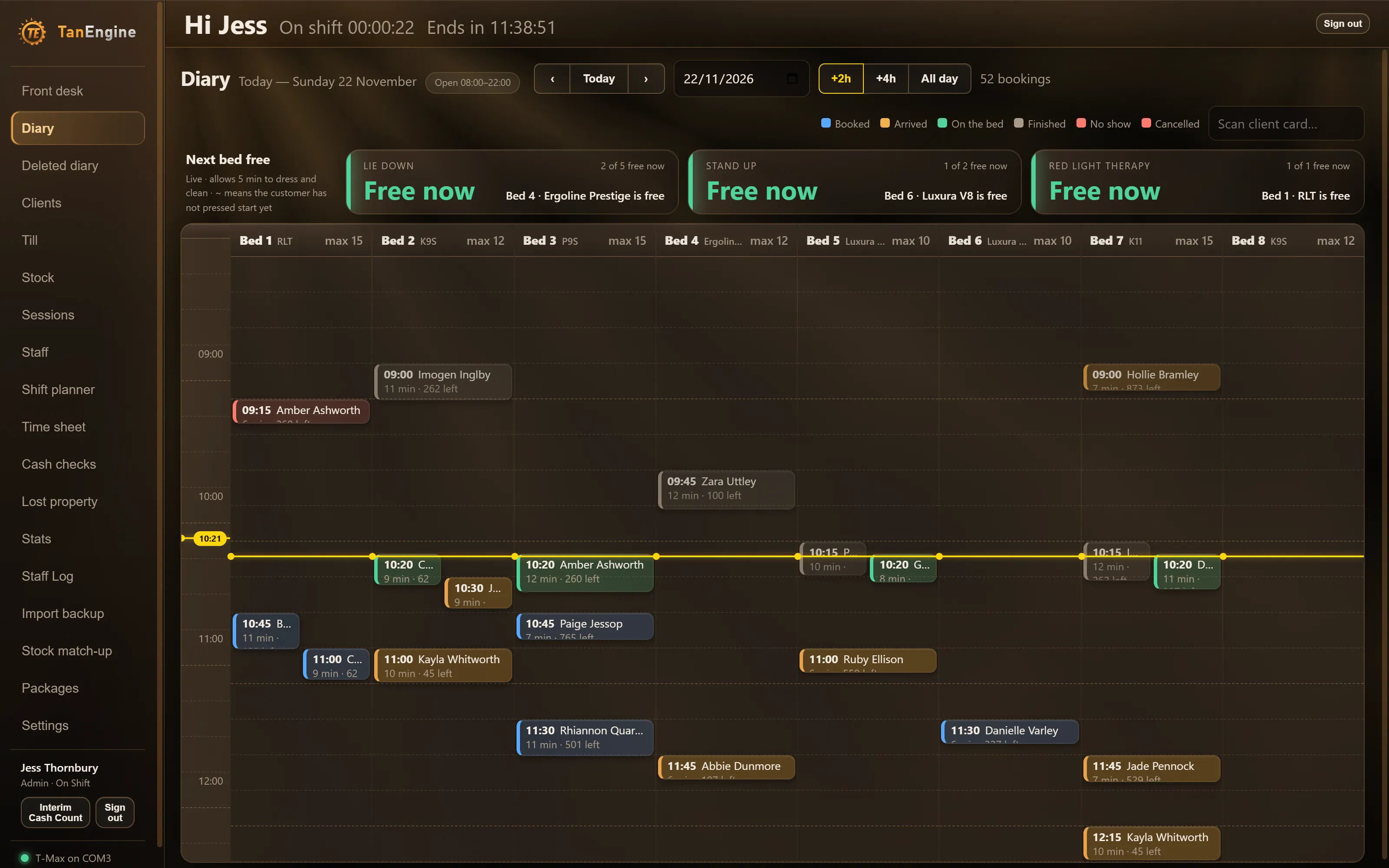
The Diary shows every bed side by side, with each booking in its own colour and a line showing the time now.
The toolbar
- ‹ Today › and the date picker move between days.
- +2h, +4h and All day (today only) choose how much of the day you see. +2h follows the clock.
- The pill shows today’s opening hours, or Closed.
- Scan client card…: scan a card to bring up that client.
The colours
| Colour key | Meaning |
|---|---|
| Booked | Booked but not here yet. |
| Arrived | Marked as arrived. |
| On the bed | Session started. |
| Finished | Session complete. |
| No show | Didn’t turn up. |
| Cancelled | Cancelled (hidden from the grid). |
Each booking shows the time, the customer, their minutes and their balance. Hover over one for a summary. A gold + mark means the bed was restarted.
The grid
- Each column is a bed, labelled with its number, name and maximum minutes.
- Each row is one diary slot (15 minutes to start with).
- Times outside your opening hours are shaded, but you can still book them.
- On today’s diary, a yellow line shows the time now.
- Each booking’s block includes the cleaning gap after it.
Next bed free
Above the grid, one card per bed type shows when the next bed of that type is free. A ~ means the customer on it hasn’t pressed start yet, so the time is an estimate.
Start here
- Click an empty slot to book a session.
- Click a booking to change, start or cancel it.
Screenshots show a demo salon. All client names and details are fictional.