Put a customer on a bed
Book a walk-in onto a free bed, start their session, queue customers and move them to another bed.
Who can do this: Everyone
On this page
Putting a customer on a bed has two parts: booking them onto the bed, then starting the session. Anyone can book. Starting a bed needs an owner or manager account.
1. Book them onto the bed
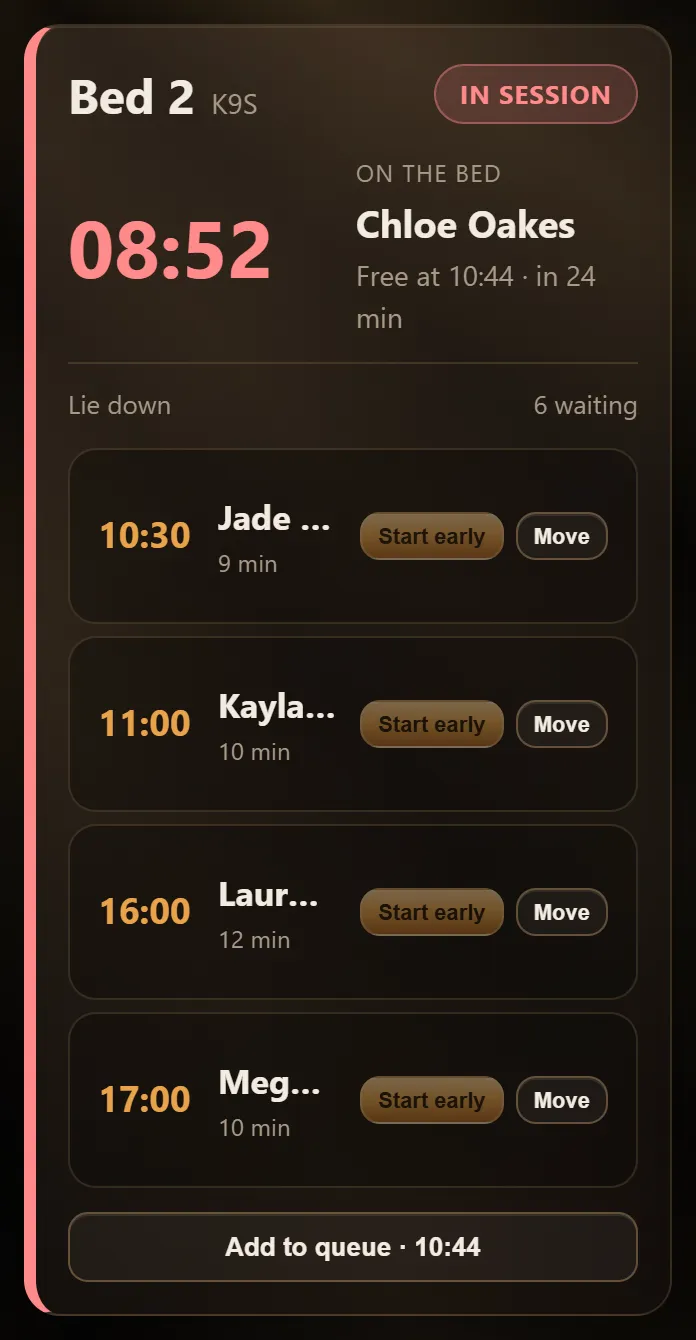
- On the Front desk, click Put customer on on a free bed (or click anywhere on its tile). If the bed’s busy, the button says Add to queue with the time it’s free.
- Search for the customer by name, phone or card number, or click + New customer.
- Check their details on the client card. Their last session length is picked for you.
- Choose a bed and a session length. Add free minutes if you need to (a reason is required).
- Click Book Now.
They now appear first in that bed’s queue.
Tip: Any safety rule problems (age, skin type, too soon since their last session) show in red under the summary before you book.
2. Start the session
- In the bed’s queue, click Start next to the customer. It says Start early if their booked time hasn’t come yet.
- TanEngine sends the session to the bed. The tile shows Undressing while they get ready, then counts down once the lamps come on.
You’ll see their name sent to the bed. Their paid minutes are only taken off their balance once the bed accepts the command. If it doesn’t, nothing is taken.
- Only the first person in a queue can be started, and only when the bed is free.
- To start a bed, you need to be signed in as an owner or manager.
Important: If a safety rule blocks the start, the front desk shows the reason in red. To override it, open the booking in the Diary and use Customer here — start countdown. See Safety rules.
Move a customer to another bed
Click Move next to them in the queue, then pick a new bed. Only beds that are working and long enough for their session are offered, each with when it’s free. Keep where they are closes without changing anything.
Stopping a session early
There’s no stop button in TanEngine. Stop the bed at the bed itself or on the T-Max Manager, and TanEngine notices automatically:
- Stopped before the lamps came on (during undressing): the session is cancelled and the minutes go back on their balance.
- Stopped while the lamps were on: the session is recorded as finished with the time left. Minutes aren’t refunded automatically. Add them back with Adjust if you need to (see Minutes and balances).
If the bed trips
If a bed stops part way through, restart it free of charge from the booking in the Diary. See Restart a tripped bed.
Screenshots show a demo salon. All client names and details are fictional.