Set up packages
Create and edit the minute packages you sell - pay-as-you-go, courses, top-ups and red light - with prices and expiry.
Who can do this: Owners and managers
Packages are the minute bundles you sell: pay-as-you-go minutes, courses, top-ups and red light sessions. Open Packages from the menu.
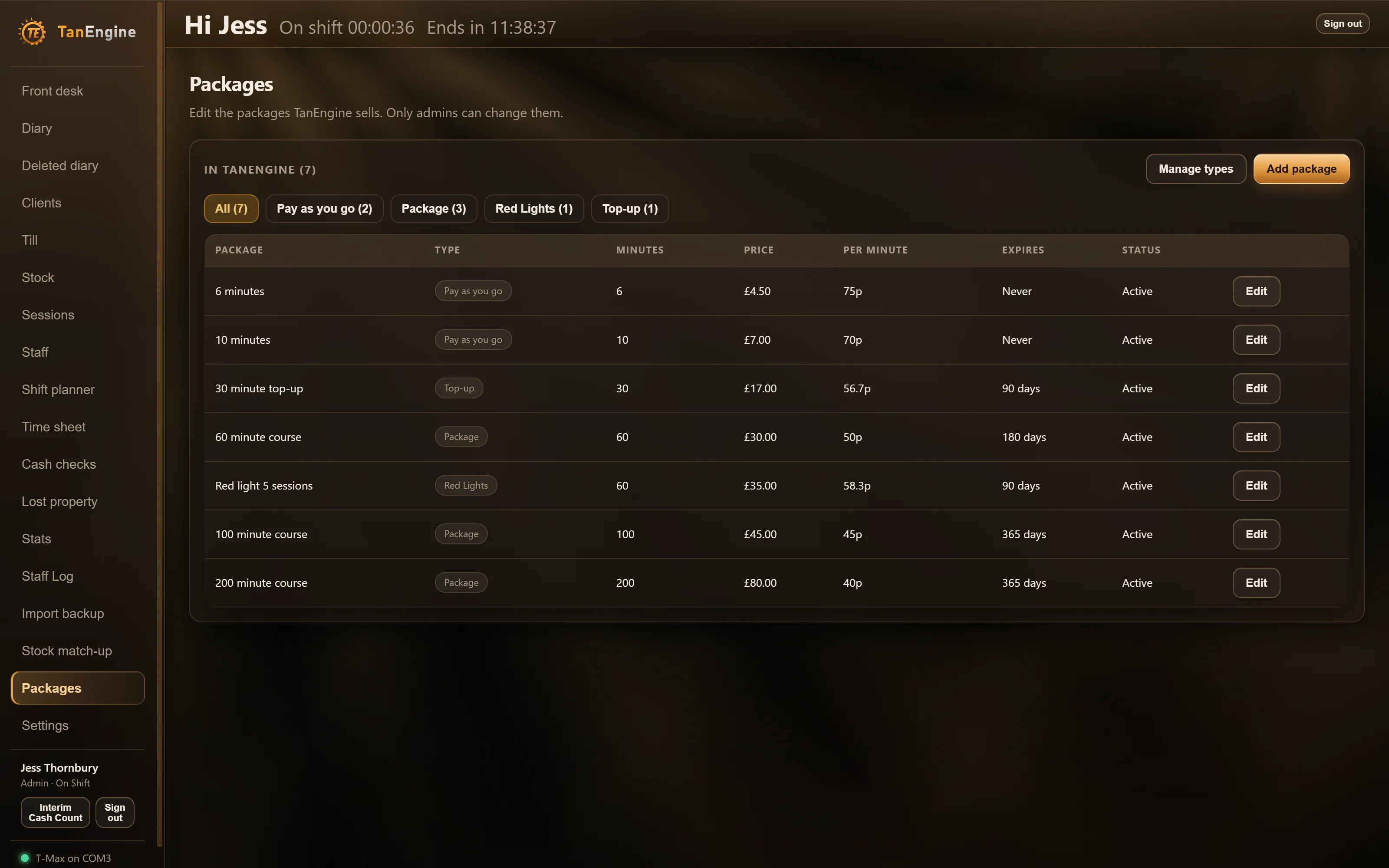
The list
Each package shows its Type, Minutes, Price, Per minute (worked out for you), when it Expires and whether it’s Active or Hidden. Use the tabs to show one type at a time.
Add a package
- Click Add package.
- Fill in:
- Name, for example “60 minute course”
- Type: a label for grouping, such as Pay as you go, Package, Red Lights or Top-up
- Minutes: a whole number
- Price (£)
- Expires after (days, blank = never)
- Status: Active (on sale) or Hidden
- Click Add.
To change one, click Edit, make your changes and click Save.
Stop selling a package
Packages can’t be deleted, because past sales refer to them. Set Status to Hidden instead. Hidden packages disappear from the till and the sell screens, but past sales are unaffected.
Package types
Types group your packages on the till and sell screens. They don’t change prices or expiry. Click Manage types to Rename or Delete a type, or add a new one with Add type. A type can’t be deleted while packages still use it.
How expiry works
When you sell a package with an expiry, its minutes expire that many days after the sale. Leave Expires after blank for minutes that never expire. See Minutes and balances.
Screenshots show a demo salon. All client names and details are fictional.