Time sheets and wage cost
See hours worked, estimated wage cost, late and early finishes, and fix shifts closed by a power cut.
Who can do this: Owners and managers
On this page
Open Time sheet from the menu. Hours come from when people sign in and out.
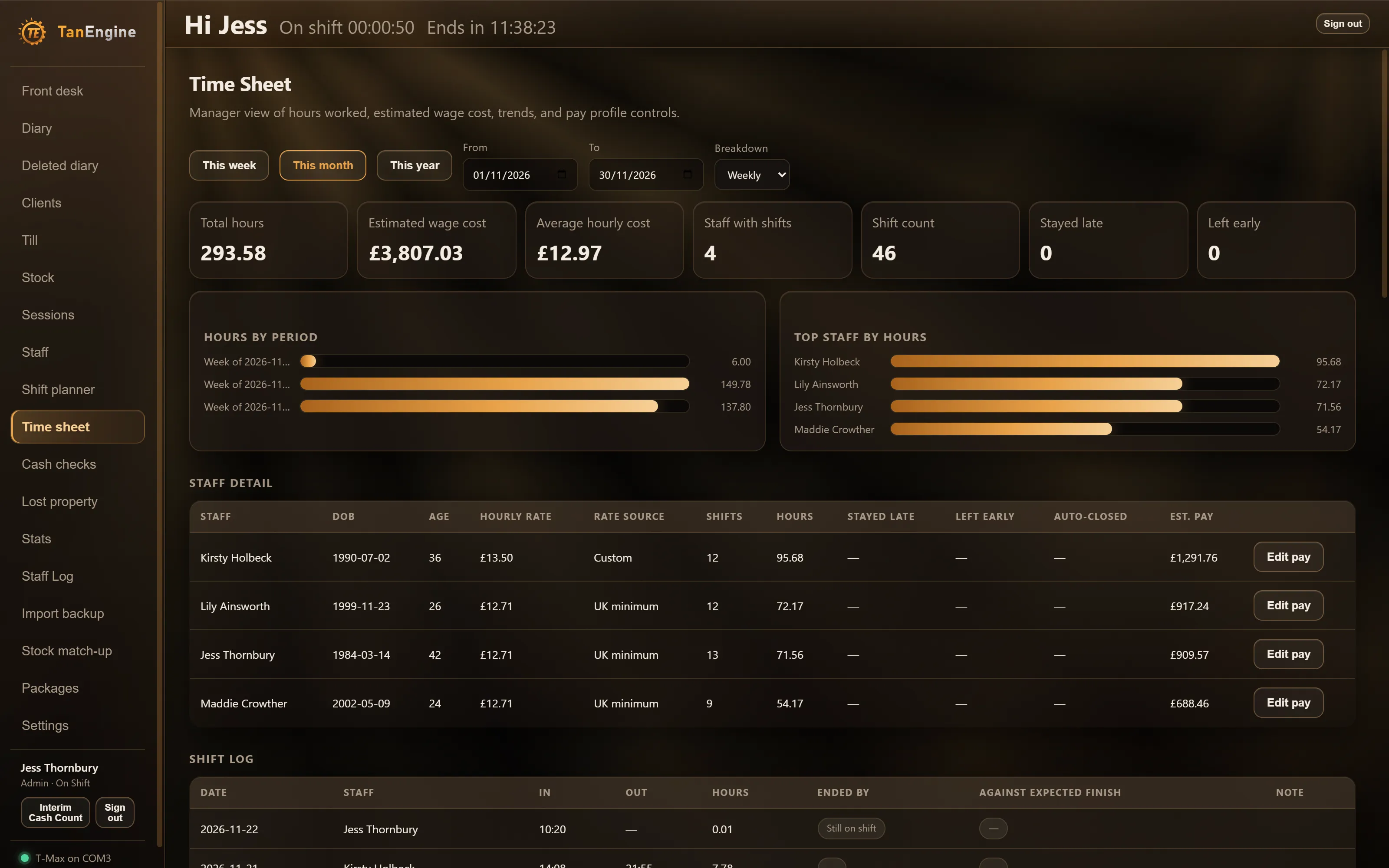
Choose the period
Click This week, This month or This year, or pick your own From and To dates. Breakdown sets whether the charts show days, weeks or months.
The cards
Total hours, Estimated wage cost, Average hourly cost, Staff with shifts, Shift count, Stayed late and Left early.
Shifts that need checking
If TanEngine closed unexpectedly (a crash or power cut), it ends any open shift at that person’s last activity and lists it at the top, under shifts closed automatically.
- Click Review.
- Keep the time, or set the real Finished at time.
- Type a Note explaining what happened (required).
- Click Confirm.
Each person’s pay
The staff table shows each person’s hourly rate and where it comes from (Custom or UK minimum), their shifts, hours, late and early finishes, and estimated pay.
To change someone’s rate, click Edit pay. Enter an Hourly rate, or leave it blank to use the UK minimum wage for their age, then click Save.
Minimum wage
When a person has no hourly rate, TanEngine uses the UK National Minimum or Living Wage for their age, and moves to the new rates each 1 April. The line at the bottom shows the rates in use. If someone has no date of birth, the 21 and over rate is used.
Late and early
The shift log shows each shift’s start and finish, how it ended (Clocked out, App closed, Another user signed in, Crash / power loss or Adjusted by manager), and how it compares with their expected finish. Within 5 minutes counts as on time.
Screenshots show a demo salon. All client names and details are fictional.